Welcome to DetectorOS
DetectorOS is a field intelligence platform for metal detecting, relic hunting,
treasure hunting, and outdoor exploration. This guide walks you through your
first hunt from account setup to logging finds and reviewing your route.
Step 1: Create Your Account
Open DetectorOS and tap Create Account.
1. Enter your email address.
2. Create a secure password.
3. Verify your email if prompted.
4. Log in and open your dashboard.
Step 2: Explore the Dashboard
The dashboard is your command center. From here, you can open your map,
routes, find logger, team tools, and DetectorOS Pro.
Map tools help you understand your field area.
Routes help you track where you searched.
Find Logger helps preserve every discovery.
DetectorOS Pro unlocks advanced tools.
Step 3: Plan Your Hunt
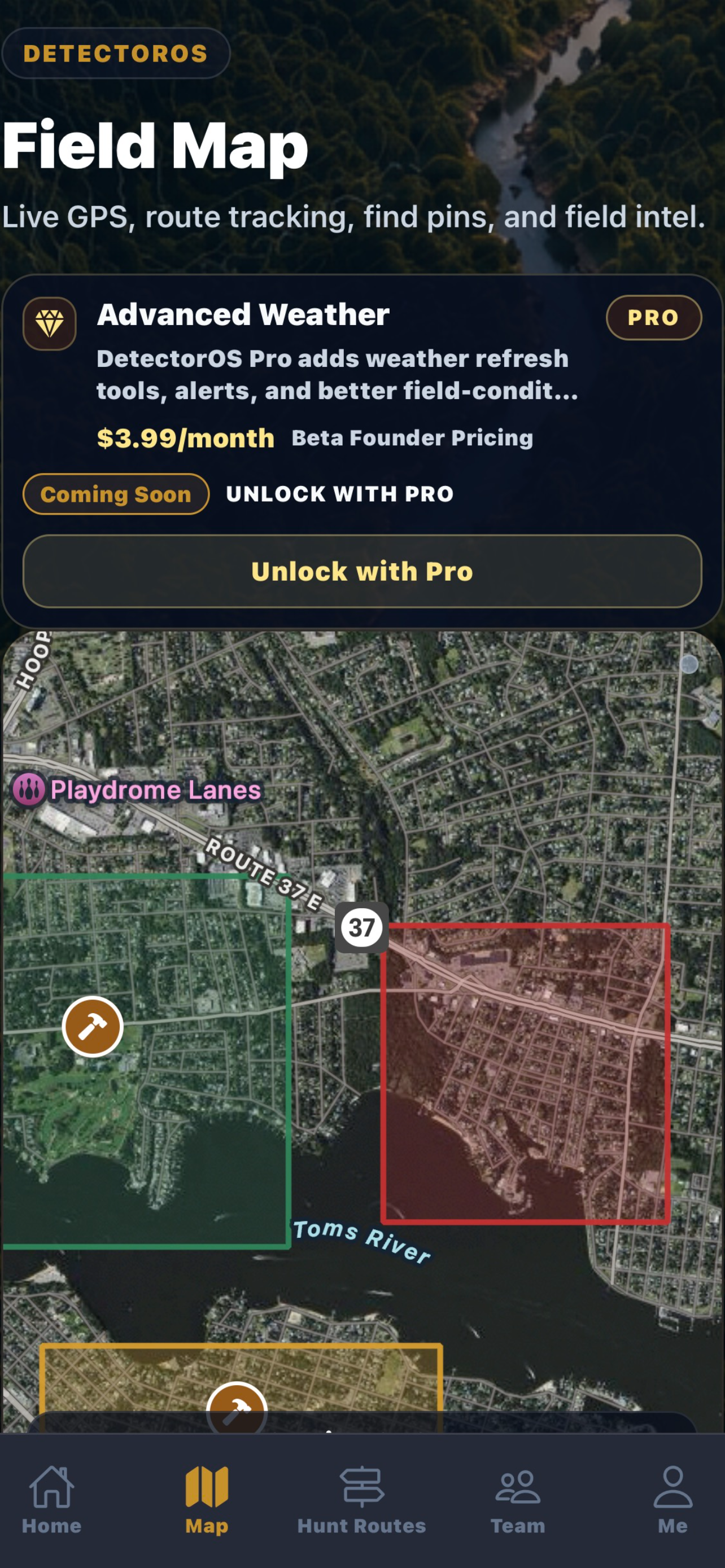
Open the Map screen before heading out. Identify your hunt area, review
weather conditions, check access permissions, and decide your search pattern.
Tip: Grid-style searches can help you cover ground more consistently than
random walking.
Step 4: Track a Route
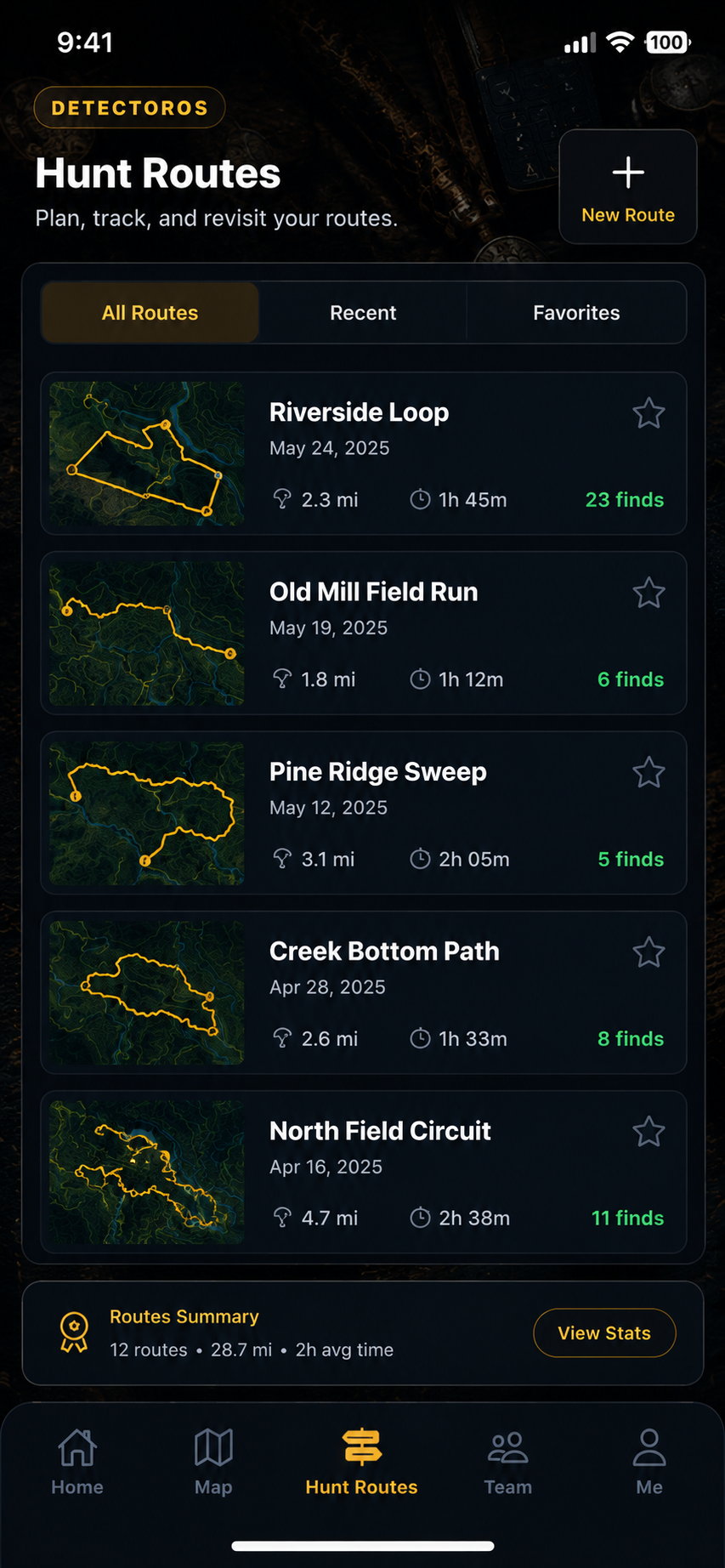
Use Hunt Routes to record your movement during a session. This helps you
review where you searched, avoid repeating the same area, and save productive
locations for future hunts.
Step 5: Log a Find
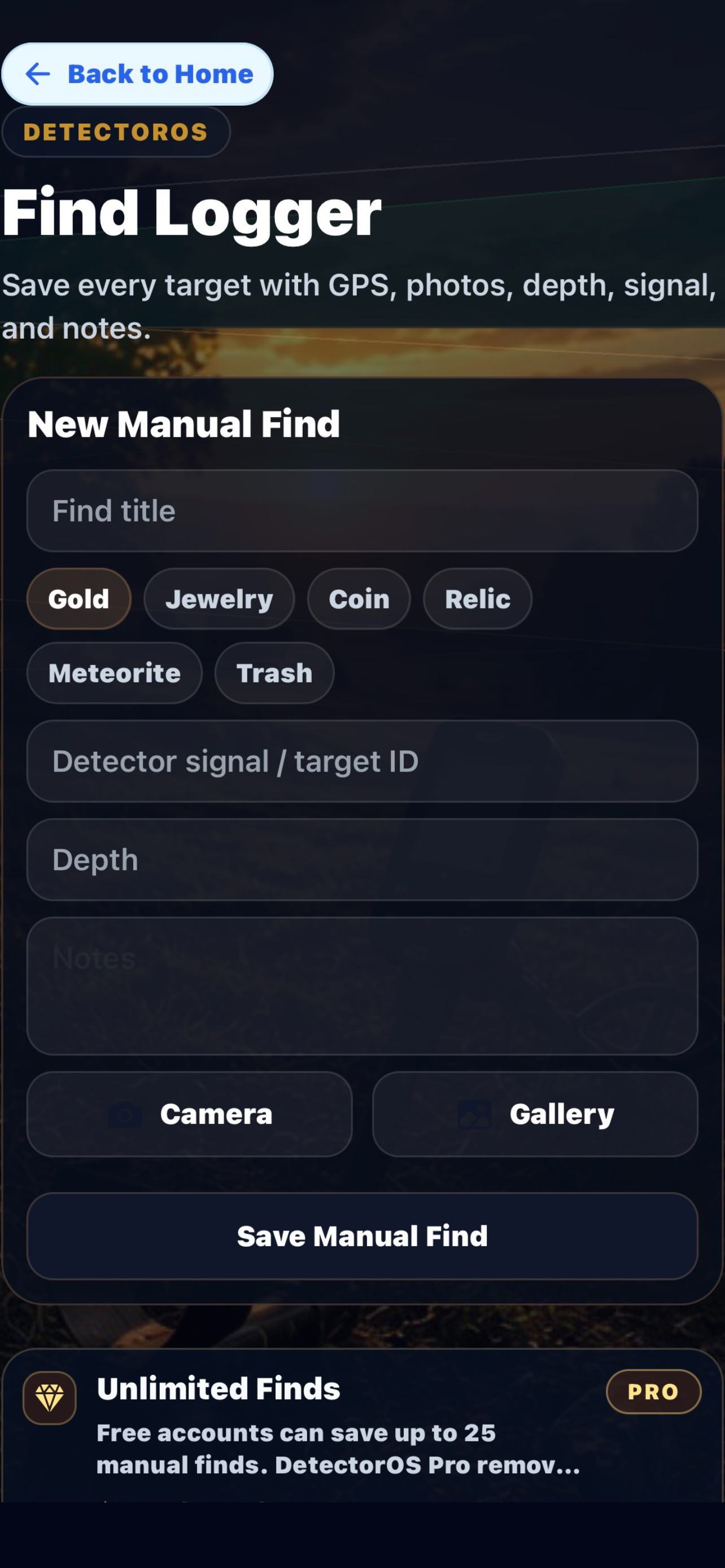
When you recover an item, open Find Logger and save the details.
Add notes and item details.
Save GPS location and time.
Build your personal hunt history.
Step 6: Review Your Hunt
After your session, review your saved routes and finds. Over time, DetectorOS
becomes your personal detecting journal, helping you understand productive
areas and patterns.
Step 7: Use Team Operations
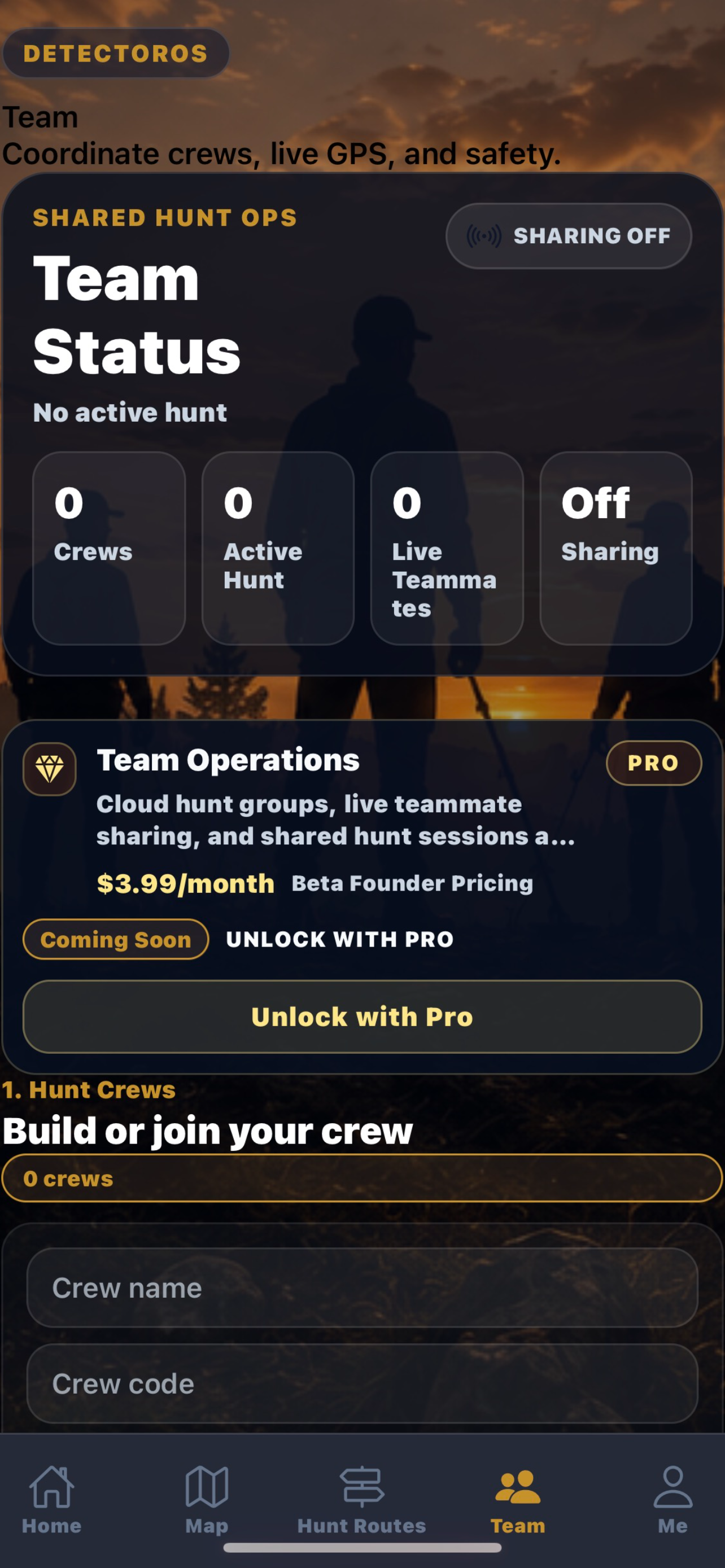
Team Operations helps organize group hunts, coordinate activity, and support
shared detecting sessions.
Step 8: Upgrade to DetectorOS Pro
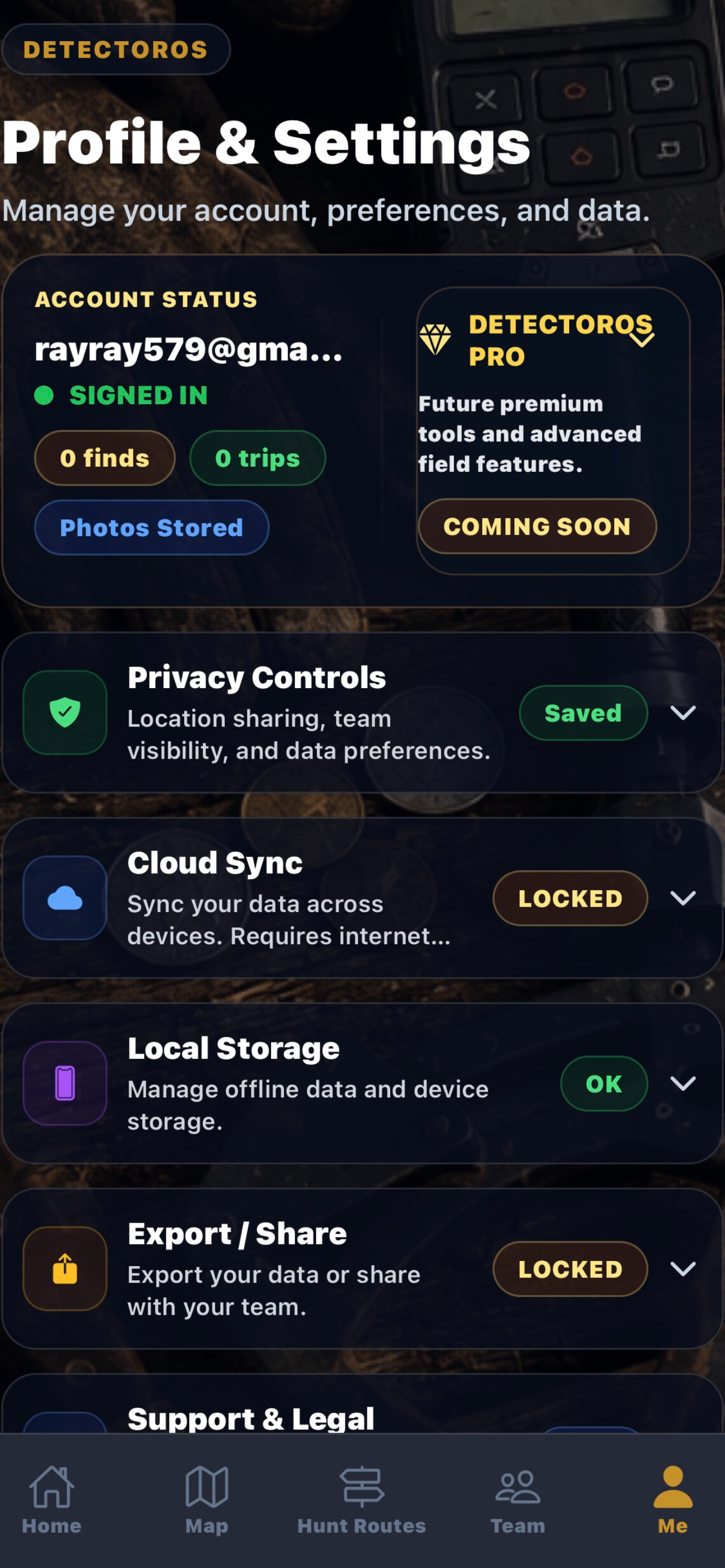
DetectorOS Pro unlocks unlimited finds, unlimited routes, advanced weather
intelligence, cloud sync, export tools, and premium field operations.
DetectorOS Pro Monthly: $3.99/month
Field Safety Tips
Always get permission before detecting.
Respect private property and posted rules.
Follow local laws and protected-site regulations.
Fill holes properly and leave sites cleaner than you found them.
Monitor weather and field conditions.